

Blend_My_NFTs
用 Blender 批量生成数千个 3D 变体,一键搞定 NFT 系列
项目预览
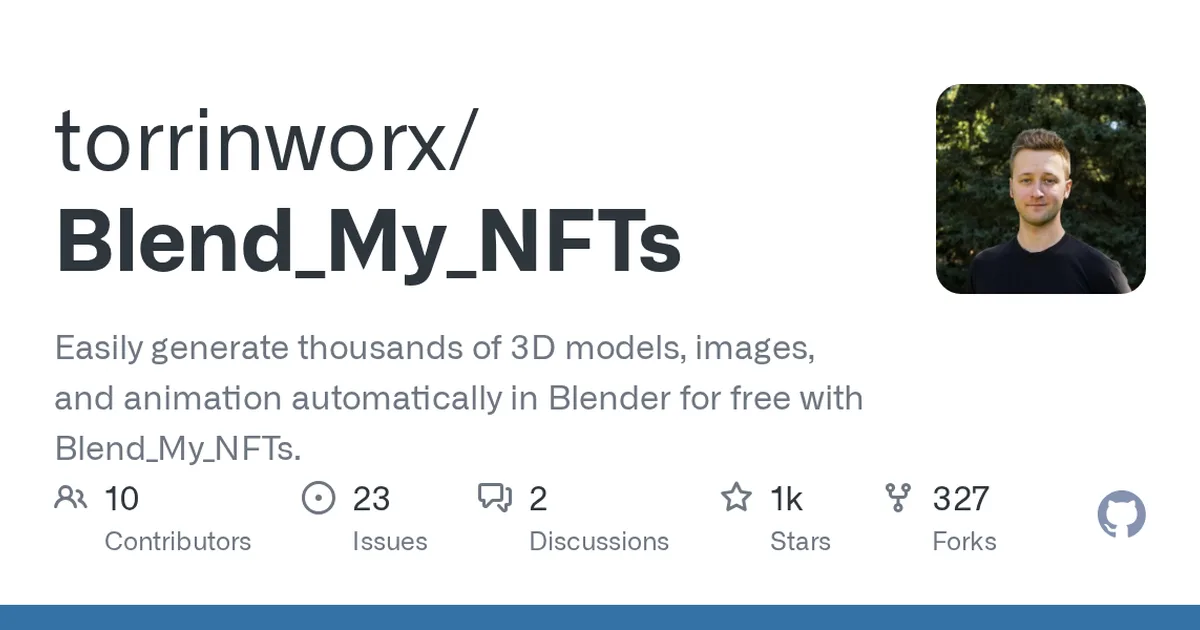
项目数据
项目介绍
Star 增长趋势
本站每日记录该项目 GitHub 星标变化,观测越久曲线越完整
数据来源:GitHub API 逐日快照 · 收录于 2026-08-09 · 当前星标 ★ 1020
使用教程
环境要求
- 已安装 Blender(README 未指定具体版本)
- 从 GitHub 下载的 Blend_My_NFTs-main.zip 文件
- 可选:本地已保存的 .blend 文件与生成的 config.cfg(仅无界面运行时需要)
安装与启动步骤
-
1下载项目 ZIP
打开 GitHub 仓库页面,点击右上角绿色 Code 按钮,在下拉菜单中选择 Download ZIP,文件会下载到 Downloads 文件夹。
-
2移动 ZIP 到桌面
把下载好的 Blend_My_NFTs-main.zip 移动到桌面,方便后续在 Blender 中选择,位置不影响功能。
-
3安装插件
打开 Blender,进入 Edit -> Preferences -> Add-ons,点击 Install 按钮;在 Blender File View 窗口选中该 ZIP,点击 Install Add-on。
-
4启用插件
回到 Add-ons 窗口,搜索 Blend_My_NFTs,勾选前面的复选框即可启用。
-
5打开主面板
在 3D View 的 Layout 标签页中按 N 键打开侧边面板,即可看到 Blend_My_NFTs 主面板。
-
6无界面模式运行
先用 Export BMNFT settings to a file 按钮导出 config.cfg,再从 Blender 安装目录执行命令,注意 -- 之后的参数顺序。
.\blender.exe --background C:\your\path\model.blend --python C:\your\path\Blend_My_NFTs\__init__.py -- --config-file C:\your\path\config.cfg --operation create-dna -
7Linux 无界面运行
Linux 下把可执行文件换成 ./blender,路径按实际位置替换,其余参数与 Windows 完全一致。
./blender --background /your/path/model.blend --python /your/path/Blend_My_NFTs/__init__.py -- --config-file /your/path/config.cfg --operation create-dna -
8查看命令行帮助
不确定参数含义时执行带 --help 的命令,可列出全部可用参数,Windows 用 blender.exe,Linux 用 ./blender。
./blender --background --python /your/path/Blend_My_NFTs/__init__.py -- --help
关键配置
| 配置项 | 必填 | 说明 | 示例 |
|---|---|---|---|
config.cfg | 是 | 由插件导出按钮生成的配置文件,包含本地实例的全部设置 | /your/path/config.cfg |
--config-file | 是 | 指定 config.cfg 的位置,无界面运行时的必填参数 | --config-file /your/path/config.cfg |
--operation | 是 | 指定要执行的操作,可选 create-dna、generate-nfts、refactor-batches | --operation create-dna |
--save-path | 否 | 覆盖配置文件中的保存路径,优先级更高 | --save-path /your/output |
--batch-number | 否 | 覆盖配置文件中指定的批次编号 | --batch-number 1 |
--batch-data | 否 | 从非默认文件夹读取批次数据 | --batch-data /your/batchdata |
如何确认成功
在 Add-ons 列表中 Blend_My_NFTs 复选框已勾选;3D 视图按 N 出现插件侧边面板;命令行加 --help 能打印参数说明。
常见问题
Q:下载的 ZIP 应该放在哪里?
A:README 建议移动到桌面便于选择,安装时只要能定位到该 ZIP 文件即可,放在其他目录也不影响使用。
Q:安装后在 Blender 里找不到插件?
A:回到 Edit -> Preferences -> Add-ons 窗口,在搜索框输入 Blend_My_NFTs,勾选条目左侧的复选框启用它。
Q:无界面运行时参数不生效怎么办?
A:Blender 解析命令行有特殊规则,所有 Python 参数必须写在 -- 之后,如 -- --config-file ... --operation create-dna。
Q:怎么知道有哪些可选参数?
A:执行 blender --background --python <init.py 路径> -- --help,即可查看 --config-file、--operation、--save-path 等全部说明。
Q:config.cfg 从哪里来?
A:在 Blender 插件面板中点击 Export BMNFT settings to a file 按钮导出,文件保存在 Save Path 字段指定的文件夹里。
注意事项
- README 未说明支持的 Blender 版本,建议使用较新版本并自行确认兼容性。
- --operation 只支持 create-dna、generate-nfts、refactor-batches 三个取值,写错会报错。
- --save-path 和 --batch-number 会覆盖 config.cfg 中的同名设置,注意优先级。
- 项目采用 GPL v3.0 许可,可免费开源使用。
核心亮点
- 自动化组合属性,轻松生成海量变体,节省手工时间
- 支持图像、模型、动画多种输出格式,覆盖 NFT 多种需求
- 元数据自动导出,简化 NFT 上架流程
不足之处
- 依赖 Blender 环境,上手需一定学习成本
- 文档/社区待观察
适用场景
- 生成 NFT 头像系列(PFP)
- 批量制作游戏 3D 资产变体
- 快速产出动画素材用于展示
替代项目
BlenderNFT、NFT Generator、HashLips Art Engine
上一篇:Make-It-3D
下一篇:resonate
同类项目推荐
 ASH
开源
用高斯泼溅技术,实现高效逼真的可驱动数字人渲染。
The Training and Demo code for: Ash: Animatable gaussian splats for efficient and ph···
Blend_My_NFTs
开源
用 Blender 批量生成数千个 3D 变体,一键搞定 NFT 系列
Easily generate thousands of 3D models, images, and animation automatically in Blend···
 SculptForge
开源
免费开源 3D 雕刻,AI 生成模型直送 Unreal
Free, open-source 3D sculpting for Linux, macOS and Windows: dense meshes, remeshing···
 AvatarCLIP
开源
输入一句话,自动生成并驱动3D虚拟人
[SIGGRAPH 2022 Journal Track] AvatarCLIP: Zero-Shot Text-Driven Generation and Anima···
 realvirtual-WEB
开源
浏览器打开就能看工业数字孪生,无需装客户端
Browser-based 3D-HMI for industrial automation — Three.js/TypeScript viewer for rea···
 VIST3A
开源
用视频生成器拼接出3D模型,文本秒变立体资产
[ICLR 2026 oral] Official code for VIST3A: Text-to-3D by Stitching a Multi-view Reco···
 FlexiDreamer
开源
单张照片秒变 3D 模型,用 FlexiCubes 快速生成网格。
An official implementation of FlexiDreamer: Single Image-to-3D Generation with Flexi···
 One-2-3-45
开源
单张图片45秒生成3D模型,无需优化
[NeurIPS 2023] Official code of "One-2-3-45: Any Single Image to 3D Mesh in 45 Secon···
 AG3D
开源
用2D图片直接生成3D虚拟人,告别昂贵扫描
Official code release for ICCV2023 paper AG3D: Learning to Generate 3D Avatars from ···