

pipelines
用 Python 插件给大模型对话加自定义处理链
项目预览
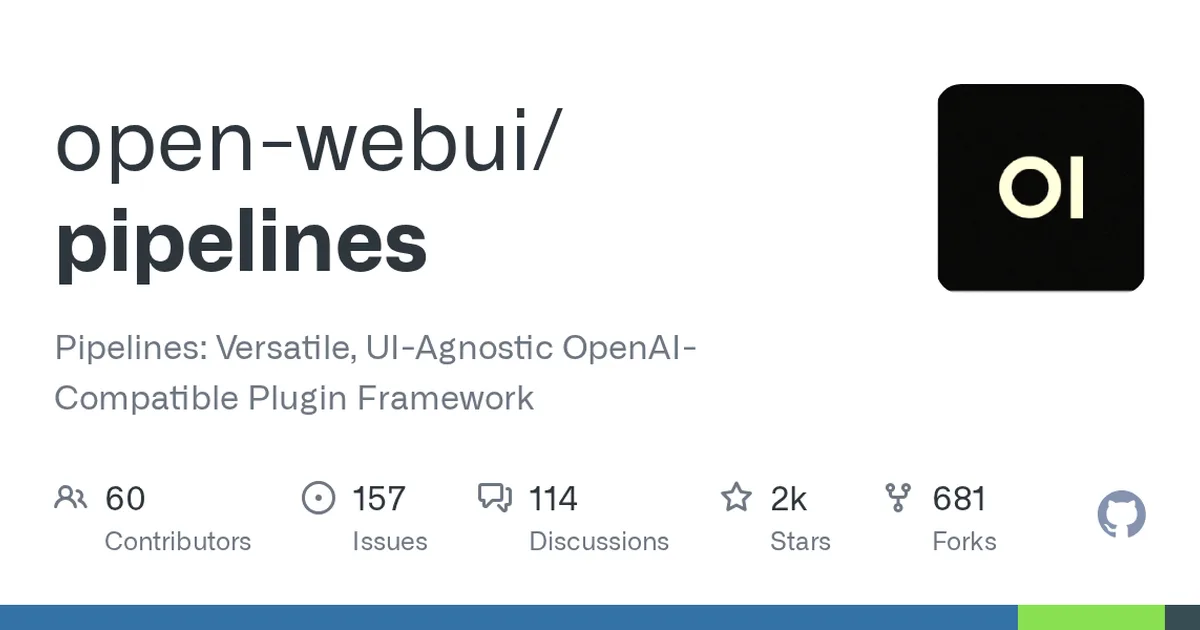
项目数据
项目介绍
Star 增长趋势
本站每日记录该项目 GitHub 星标变化,观测越久曲线越完整
数据来源:GitHub API 逐日快照 · 收录于 2026-11-23 · 当前星标 ★ 2447
技术标签
使用教程
环境要求
- Docker 环境(容器方式部署)
- Open WebUI 实例(用于挂载管道)
- 本机 9099 端口可用于 Pipelines 服务
- 本地安装方式需 Python 3.11
安装与启动步骤
-
1启动 Pipelines 容器
挂载数据卷持久化管道目录,映射 9099 端口并设置开机重启,镜像为 ghcr.io 上的 main 标签。
docker run -d -p 9099:9099 --add-host=host.docker.internal:host-gateway -v pipelines:/app/pipelines --name pipelines --restart always ghcr.io/open-webui/pipelines:main -
2在 Open WebUI 中连接
进入 Settings > Connections > OpenAI API,把 API URL 设为 Pipelines 地址、API Key 设为 0p3n-w3bu!,管道即生效。
-
3用 Compose 一并部署
适合同时管理 Open WebUI 与 Pipelines;容器内用服务名 http://pipelines:9099 作为 API URL,仅 openwebui 服务可访问。
cat > docker-compose.yaml <<'EOF' services: openwebui: image: ghcr.io/open-webui/open-webui:main ports: - "3000:8080" volumes: - open-webui:/app/backend/data pipelines: image: ghcr.io/open-webui/pipelines:main volumes: - pipelines:/app/pipelines restart: always environment: - PIPELINES_API_KEY=0p3n-w3bu! volumes: open-webui: {} pipelines: {} EOF docker compose up -d -
4克隆仓库并装依赖
本地安装方式先确认 Python 3.11,克隆源码后按 requirements.txt 安装依赖。
git clone https://github.com/open-webui/pipelines.git cd pipelines pip install -r requirements.txt -
5启动本地服务
在仓库目录执行启动脚本,服务起来后把客户端的 OpenAI URL 指向 Pipelines 地址即可使用。
sh ./start.sh -
6预装带依赖的管道
通过 PIPELINES_URLS 指定管道文件地址,容器启动时会安装其文件头声明的额外依赖。
docker run -d -p 9099:9099 --add-host=host.docker.internal:host-gateway -e PIPELINES_URLS="https://github.com/open-webui/pipelines/blob/main/examples/filters/detoxify_filter_pipeline.py" -v pipelines:/app/pipelines --name pipelines --restart always ghcr.io/open-webui/pipelines:main -
7调整管道阀值
在管理面板 Admin Settings > Pipelines 标签页选择管道,直接修改阀值配置,无需改代码。
关键配置
| 配置项 | 必填 | 说明 | 示例 |
|---|---|---|---|
API URL | 是 | Open WebUI 连接 Pipelines 的地址 | http://localhost:9099 |
PIPELINES_API_KEY | 否 | 连接 Pipelines 时使用的 API Key | 0p3n-w3bu! |
PIPELINES_URLS | 否 | 启动时自动安装的管道文件地址 | https://github.com/open-webui/pipelines/blob/main/examples/f |
数据卷 pipelines | 否 | 持久化已安装管道目录 /app/pipelines | pipelines:/app/pipelines |
如何确认成功
执行 docker ps 看到 pipelines 容器运行中,并在 Open WebUI 的 OpenAI 连接里成功连上 http://localhost:9099 后,管道模型可用。
常见问题
Q:连接不上 Pipelines 怎么办?
A:多为 Docker 网络问题。确认 Open WebUI 能访问 Pipelines 容器地址,容器内可用 host.docker.internal 代替 localhost。
Q:Open WebUI 跑在容器里,API URL 填什么?
A:把 localhost 换成 host.docker.internal;用 Compose 部署时填服务名 http://pipelines:9099。
Q:管道有额外依赖怎么装?
A:启动容器时用 -e PIPELINES_URLS 指定管道地址,容器会在启动阶段安装其文件头声明的依赖;无额外依赖也可在管理面板粘贴 URL 安装。
Q:这个项目还能用于新部署吗?
A:仓库已归档并停止维护,不再有版本更新、缺陷与安全修复,新部署建议改用 Open WebUI 内置的 Pipe/Filter Functions。
注意事项
- Pipelines 已标记 DEPRECATED 并归档,无新版本、无安全修复,既有部署也建议尽快迁移到 Open WebUI 内置 Functions。
- 管道系统会执行任意 Python 代码,不要从不可信来源加载管道。
- 挂载 pipelines:/app/pipelines 数据卷后,容器重建时已安装的管道仍会保留。
- 本地安装方式要求 Python 3.11。
核心亮点
- 以 OpenAI 兼容接口暴露自定义管道,现有客户端无需改造即可调用
- UI 无关设计,管道逻辑与前端解耦,便于复用和独立测试
- Python 编写,接入外部数据源、过滤与工具调用成本低
不足之处
- 生态与文档仍在成长,复杂管道调试和版本兼容需自行摸索
- 与 Open WebUI 绑定较紧,脱离该生态后集成示例较少
适用场景
- 为对话请求增加敏感词过滤与内容审核
- 在模型回答前注入企业知识库检索结果
- 把内部工具封装成函数供模型调用
替代项目
LangChain、Dify、FastGPT
上一篇:rlm
下一篇:没有了!
同类项目推荐
 nagato-ai
开源
一套代码,轻松对接多种大模型,快速搭建AI代理
Simple cross-LLM AI Agent library
 jaicf-kotlin
开源
用 Kotlin 一套代码搞定 Alexa 和 Google 助手对话
Kotlin framework for conversational voice assistants and chatbots development
 Power-CAT-Copilot-Studio-Kit
开源
用 TypeScript 快速搭 Copilot Studio 智能体
 ComfyUI_smZNodes
开源
给 ComfyUI 加个强力文本编码器,让提示词更精准
Custom nodes for ComfyUI such as CLIP Text Encode++
 agentUniverse
开源
像搭积木一样,快速构建多智能体协作应用。
agentUniverse is a LLM multi-agent framework that allows developers to easily build ···
 FLAMEGPU2
开源
百万智能体仿真,GPU 上跑出 CPU 几十倍速度
FLAME GPU 2 is a GPU accelerated agent based modelling framework for CUDA C++ and Py···
 psaisuite
开源
一套 PowerShell 接口,统一调用多家大模型
Enterprise-grade PowerShell abstraction layer for 15+ GenAI providers. Standardized ···
 framework
开源
把 AI 编码流程拆成插件,像搭积木一样装配开发工作流
Marketplace Framework AI-Driven Dev : Context Engineering, Plugins, Agents, Skills, ···
 ado
开源
把实验设计、跑批、分析一条龙管起来,省心复现结果。
Run computational experiment campaigns at scale, and let coding agents autonomously ···