

项目预览
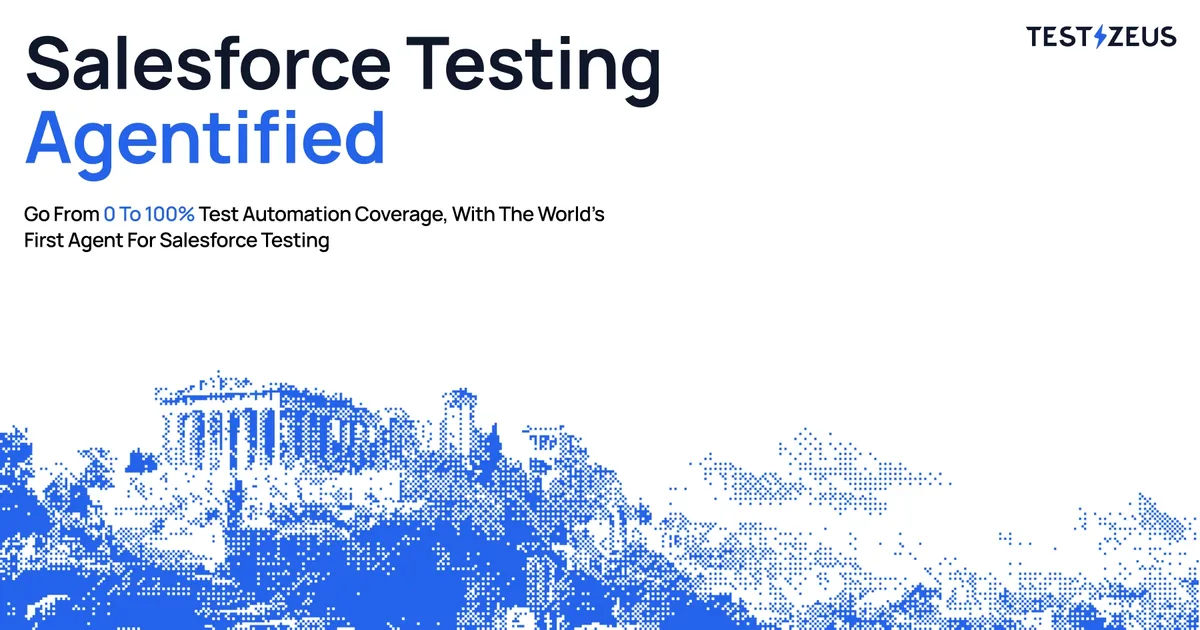
项目数据
项目介绍
Star 增长趋势
本站每日记录该项目 GitHub 星标变化,观测越久曲线越完整
数据来源:GitHub API 逐日快照 · 收录于 2026-08-10 · 当前星标 ★ 1218
技术标签
使用教程
环境要求
- Python 环境(可 pip 安装包)
- 已配置可访问的 LLM 模型服务(如 OpenAI 兼容接口)
- 磁盘可容纳 Playwright 浏览器及依赖
- Windows 用户需以管理员身份运行 PowerShell
安装与启动步骤
-
1安装 Hercules
从 PyPI 安装 Hercules 包,它会同时装好命令行入口 testzeus-hercules。
pip install testzeus-hercules -
2安装 Playwright
Hercules 用 Playwright 操作网页,必须安装浏览器本体及系统依赖。
playwright install --with-deps -
3配置模型变量
导出模型名称、API Key 和 Base URL;把 replace-me 换成你的真实 Key。
export LLM_MODEL_NAME=gpt-4o export LLM_MODEL_API_KEY=sk-xxxxxxxx export LLM_MODEL_BASE_URL=https://api.openai.com/v1 -
4准备测试文件
按 opt/input/test.feature、opt/output、opt/test_data 的结构放好 Gherkin 用例文件。
-
5运行 Hercules
指定输入用例、输出目录与测试数据目录执行,测试结果写入 output-path。
testzeus-hercules \ --input-file opt/input/test.feature \ --output-path opt/output \ --test-data-path opt/test_data -
6Docker 方式运行
拉取镜像后用 .env 传环境变量,挂载 opt 目录即可,无需再传路径参数。
docker pull testzeus/hercules:latest
docker run --env-file=.env -v ./agents_llm_config.json:/testzeus-hercules/agents_llm_config.json -v ./opt:/testzeus-hercules/opt --rm -it testzeus/hercules:latest
关键配置
| 配置项 | 必填 | 说明 | 示例 |
|---|---|---|---|
LLM_MODEL_NAME | 是 | 指定使用的模型名称,直接运行模式必填 | gpt-4o |
LLM_MODEL_API_KEY | 是 | 模型服务密钥,替换成你的真实 Key | sk-xxxxxxxx |
LLM_MODEL_BASE_URL | 是 | 模型接口地址,OpenAI 兼容代理填代理地址 | https://api.openai.com/v1 |
AGENTS_LLM_CONFIG_FILE | 否 | 使用多智能体分模型配置时的配置文件名 | agents_llm_config.json |
AGENTS_LLM_CONFIG_FILE_REF_KEY | 否 | 指定使用配置文件中的哪个提供方配置 | litellm |
CDP_ENDPOINT_URL | 否 | 连接远程 Chrome 实例的 CDP 地址,用于外部浏览器 | wss://connect.browserbase.com?apiKey=your_api_key |
如何确认成功
运行结束后查看 opt/output 下新生成的 run_<timestamp> 目录,内有 test.feature_result.html 和 .xml 结果报告。
常见问题
Q:什么时候需要用 agents_llm_config.json?
A:只有当你需要为 planner、navigation、memory、helper 分别设置不同模型时才用;只用直接变量时不必传该文件。
Q:Docker 里还需要传 --input-file 等参数吗?
A:不需要。挂载 opt 文件夹后输入输出路径已由挂载处理,命令行参数可省略。
Q:Docker 模式看不到浏览器界面怎么办?
A:Docker 中只能使用无头浏览器。想连可见浏览器,可在环境文件里设置 CDP_ENDPOINT_URL 连接远程浏览器。
Q:BrowserStack 或 LambdaTest 支持录制视频吗?
A:不支持。只有使用 connect_over_cdp 的平台(BrowserBase、AnchorBrowser)才支持视频录制。
Q:Windows 上怎么安装?
A:以管理员身份打开 PowerShell,cd 到 helper_scripts 目录运行 .\hercules_windows_setup.ps1,按提示安装。
注意事项
- Colab 中安装依赖后可能提示重启会话,需重启后继续执行。
- Docker 连接远程浏览器时,需先导出对应平台的 USERNAME/ACCESS_KEY 再生成 CDP 地址。
- 源码运行方式需先 clone 仓库并执行 make setup-uv、make install,再用 make run。
- 项目结构与更多运行细节见 docs/run_guide.md。
核心亮点
- 自然语言驱动测试,无需编写或维护脚本,降低使用门槛
- 覆盖 UI、API、安全、可访问性、视觉五类测试,一站式验证
- 基于 Playwright 和 Autogen,自动化能力强,支持复杂浏览器交互
不足之处
- 项目较新,文档和社区生态待观察
- 依赖 AI 模型,复杂场景下可能需人工干预
适用场景
- 敏捷开发中快速回归测试,减少脚本维护成本
- 非技术产品经理直接验证功能流程
- 跨浏览器兼容性和可访问性合规检查
替代项目
Testim、Mabl、Applitools
同类项目推荐
 flyte
开源
让 AI 工作流像流水线一样稳定,跑生产不再提心吊胆
Type-safe, distributed orchestration of agents, ML pipelines, and real-time inferenc···
 ai-shortVideo-pipeline
开源
一键搭建稳定可控的AI短视频生产流水线
End-to-end AI short-video production pipeline. FastAPI orchestration + Spring Boot g···
 heinzel
开源
给 AI 助手套上运维安全绳,放心让它管服务器
A ruleset that turns AI coding assistants (e.g. Claude Code) into disciplined Linux,···
 esp32-iphone-agent
开源
7美元ESP32让AI真机操控iPhone,免Mac免越狱
Let an AI model use a real iPhone with a $7 ESP32: AirPlay eyes, USB HID hands, any ···
 OpenDirector
开源
用智能体串起视频创作全流程,少切软件多出片
Build an easy-to-use workflow for the next generation of video creation with agent
 awesome-muse-connectors
开源
查 Meta Muse 连接器能力与权限,选型不再翻文档
A source-backed catalog of Meta Muse integrations and community connector skills, wi···
 FSB
开源
让 AI 直接读 DOM 操作 Chrome,自动化更稳更准
DOM-first AI browser automation for Chrome and MCP clients.
 recall
开源
让 AI 编程助手记住项目,告别每次重复解释
Stop wasting tokens and re-explaining your project every session. Recall gives Claud···
 decodo-openclaw-skill
开源
让智能体一键抓取任意网页,直接喂给大模型用
OpenClaw skill for scraping any URL using the Decodo Web Scraping API.