
img2img-turbo
单步搞定图像转换,草图变大片,白天转黑夜,快人一步
项目预览
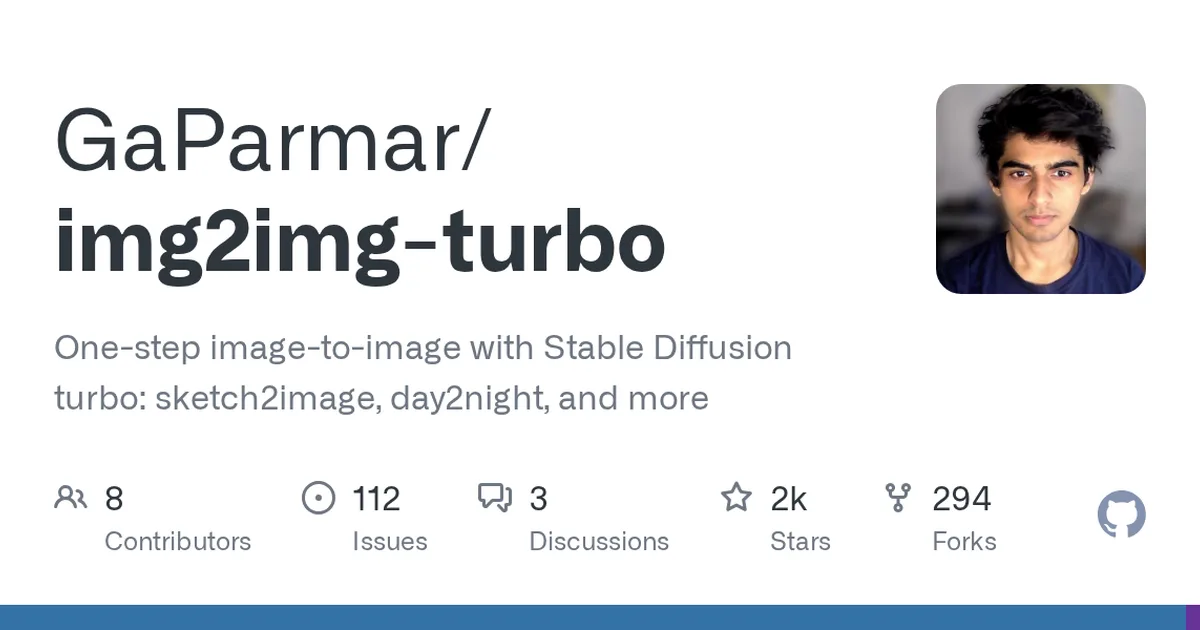
项目数据
项目介绍
Star 增长趋势
本站每日记录该项目 GitHub 星标变化,观测越久曲线越完整
数据来源:GitHub API 逐日快照 · 收录于 2026-08-09 · 当前星标 ★ 2491
使用教程
环境要求
- Python 3 环境(推荐使用 conda 或 venv 虚拟环境)
- 已安装 conda(或使用 python3-venv 替代)
- 仓库内提供 environment.yaml / requirements.txt 依赖文件
- 建议具备 GPU 环境(官方测速基于 A6000 / A100 显卡)
安装与启动步骤
-
1克隆项目仓库
把 img2img-turbo 源码下载到本地,后续所有命令都在该目录下执行。
git clone https://github.com/GaParmar/img2img-turbo.git cd img2img-turbo -
2创建 conda 环境
用官方提供的 environment.yaml 一次性装好全部依赖,耗时较长请耐心等待。
conda env create -f environment.yaml -
3激活 conda 环境
环境名固定为 img2img-turbo,激活后才能运行推理脚本。
conda activate img2img-turbo -
4或改用 venv 安装
没有 conda 时可用虚拟环境替代,需先激活再按 requirements.txt 安装依赖。
python3 -m venv venv source venv/bin/activate pip install -r requirements.txt -
5跑配对图像翻译
以鸟图加提示词做边缘到图像(pix2pix-turbo)推理,结果写入 outputs 目录。
python src/inference_paired.py --model_name "edge_to_image" \ --input_image "assets/examples/bird.png" \ --prompt "a blue bird" \ --output_dir "outputs" -
6跑草图转图像
草图任务需额外指定 gamma 参数(示例为 0.4),配合较长的风格提示词效果更好。
python src/inference_paired.py --model_name "sketch_to_image_stochastic" \ --input_image "assets/examples/sketch_input.png" --gamma 0.4 \ --prompt "ethereal fantasy concept art of an asteroid. magnificent, celestial, ethereal, painterly, epic, majestic, magical, fantasy art, cover art, dreamy" \ --output_dir "outputs" -
7跑非配对图像翻译
CycleGAN-Turbo 无需提示词,换 model_name 即可切换白天转黑夜、晴转雨等任务。
python src/inference_unpaired.py --model_name "day_to_night" \
    --input_image "assets/examples/day2night_input.png" --output_dir "outputs"
关键配置
| 配置项 | 必填 | 说明 | 示例 |
|---|---|---|---|
--model_name | 是 | 选择具体任务模型,如 edge_to_image、sketch_to_image_stochastic、day_to_night、night_to_day、cl | day_to_night |
--input_image | 是 | 待转换输入图片的路径 | assets/examples/day2night_input.png |
--output_dir | 是 | 结果图片保存目录 | outputs |
--prompt | 否 | 文本提示词,配对任务(pix2pix-turbo)必填,非配对任务不需要 | a blue bird |
--gamma | 否 | 草图随机任务的强度系数,仅 sketch_to_image_stochastic 使用 | 0.4 |
如何确认成功
命令正常结束后无报错,且在 --output_dir 指定的 outputs 目录中生成对应的输出图片。
常见问题
Q:没有 conda 可以安装吗?
A:可以。README 提供虚拟环境方案:python3 -m venv venv 后激活,再执行 pip install -r requirements.txt 即可。
Q:非配对推理需要写提示词吗?
A:不需要。CycleGAN-Turbo 的非配对任务只需指定 --model_name、--input_image 和 --output_dir 三个参数。
Q:草图任务为什么多一个 gamma 参数?
A:sketch_to_image_stochastic 是随机生成模型,gamma 用于控制随机程度,官方示例取值为 0.4。
Q:跑一次推理要多久?
A:官方数据为 512x512 图像在 A6000 上约 0.29 秒、A100 上约 0.11 秒,其它显卡会明显更慢。
注意事项
- 示例命令中的输入图片均来自仓库自带的 assets/examples 目录,替换成自己的图片时注意路径正确。
- conda 与 venv 两种安装方式二选一即可,不要重复安装依赖。
- 单步推理速度快,但显存需求与原 Stable Diffusion 类模型相当,显存不足时可换用小图测试。
核心亮点
- 推理速度极快,单步生成,比传统多步扩散模型快数十倍
- 支持多种图像转换任务,如草图转图像、日夜转换、姿态迁移,开箱即用
- 提供预训练模型和 Gradio 演示,上手门槛低,便于快速体验和二次开发
不足之处
- 对输入图像质量敏感,复杂场景下可能产生伪影
- 文档/社区待观察
适用场景
- 实时图像编辑应用,如设计工具中的即时效果预览
- 创意内容生成,从草图快速生成概念图或插画
- 自动驾驶或监控场景中的日夜图像转换,用于数据增强
替代项目
ControlNet、InstructPix2Pix、CycleGAN
上一篇:StableSR
下一篇:comflowyspace
同类项目推荐
 scene_generation
开源
用场景图精确控制图像生成,让AI按你的关系描述画图
A PyTorch implementation of the paper: Specifying Object Attributes and Relations in···
 inpaint-anything
开源
点选即分割,AI 自动修复图像任意区域
Inpaint Anything performs stable diffusion inpainting on a browser UI using masks fr···
 glitch-art
开源
写几行 SCSS,一键生成赛博朋克故障艺术图
gradient glitch art generator
 deep-daze
开源
输入一句话,命令行生成艺术图像
Simple command line tool for text to image generation using OpenAI's CLIP and Siren ···
 stable.art
开源
在 Photoshop 里直接跑 Stable Diffusion,不用来回切换工具
Photoshop plugin for Stable Diffusion with Automatic1111 as backend (locally or with···
 maskbit
开源
无需嵌入查找表,用比特令牌直接生成高质量图像
Implementation of the paper "MaskBit: Embedding-free Image Generation from Bit Token···
 cyanic-sd-krita
开源
在 Krita 里直接跑 Stable Diffusion,画画时无缝生成
A Stable Diffusion plugin for Krita, compatible with A1111 and SD.Next
 ComfyUI-PhotoMaker-ZHO
开源
拖拽节点,用几张照片生成定制人物图像
Unofficial implementation of PhotoMaker for ComfyUI
 stable-diffusion-webui-sonar
开源
给Stable Diffusion WebUI加装采样优化器,提升出图质量
Wrapped k-diffuison samplers with tricks to improve the generated image quality (may···