

项目预览
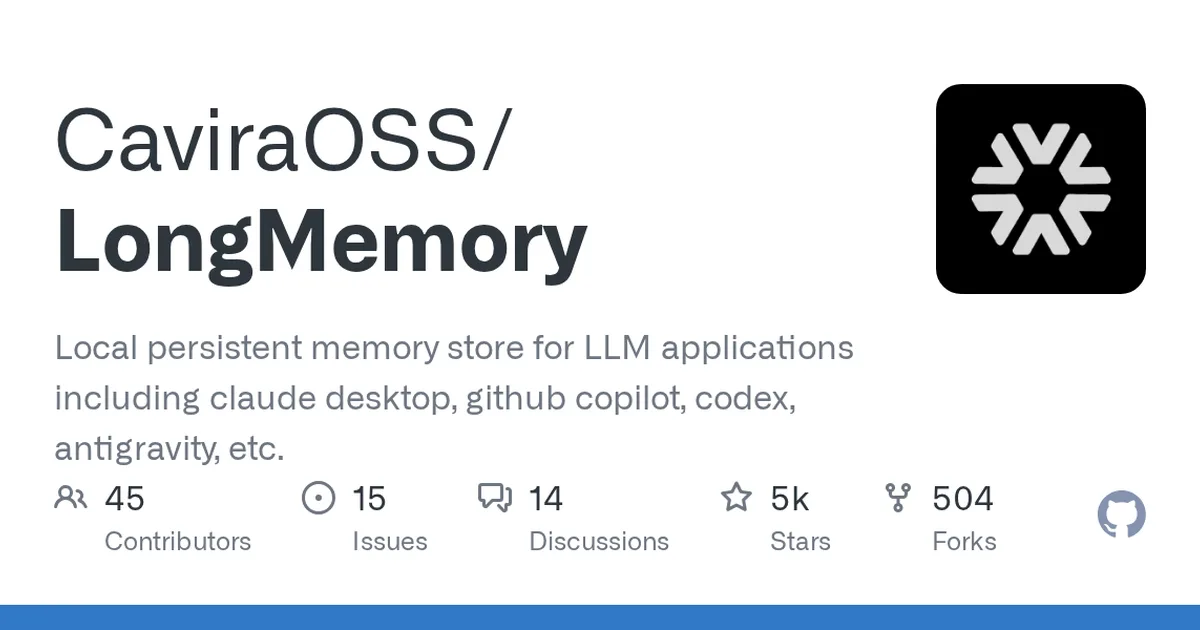
项目数据
项目介绍
Star 增长趋势
本站每日记录该项目 GitHub 星标变化,观测越久曲线越完整
数据来源:GitHub API 逐日快照 · 收录于 2026-08-09 · 当前星标 ★ 4571
使用教程
环境要求
- Node.js 与 npm(用于安装 longmemory 库或 CLI)
- Docker(可选,用于以服务方式运行 API/MCP)
- Docker Compose(可选,需项目内 docker-compose.yml 与 .env)
- 本地持久化存储(服务方式挂载到 /data)
安装与启动步骤
-
1安装记忆库依赖
在项目目录执行 npm 安装,作为库嵌入你的应用使用,无需启动任何服务或外部数据库。
npm install longmemory -
2在代码中写入与检索
用 createMemory 创建记忆实例,ingest 写入片段,recall 以 strict 模式检索并打印结果。
import { createMemory } from 'longmemory'; const memory = await createMemory(); await memory.ingest({ user_id: 'alice', text: 'I prefer TypeScript for backend services', }); const result = await memory.recall({ text: 'What language does Alice prefer?', mode: 'strict', }); console.log(result); await memory.close(); -
3全局安装 CLI
如果不想写代码,可全局安装命令行工具,随后在终端直接调用 longmemory 命令。
npm install --global longmemory -
4初始化 CLI
首次使用先运行 init,完成本地记忆环境的初始化配置。
longmemory init -
5命令行检索记忆
用 recall 以 associative 模式查询记忆内容,可按需切换其他检索模式。
longmemory recall "current project priorities" --mode associative -
6用 Docker 跑服务
一条命令启动 API 与 Streamable HTTP MCP,映射 7331 端口并挂载数据卷持久化。
docker run --rm \ -p 7331:7331 \ -v longmemory-data:/data \ -e LONGMEMORY_API_KEY=change-me \ ghcr.io/caviraoss/longmemory:latest -
7Docker Compose 启动
先复制环境变量模板,再后台启动服务;加 --profile ui 可同时启动仪表盘。
cp .env.example .env
docker compose up --build -d longmemory
docker compose --profile ui up --build -d
关键配置
| 配置项 | 必填 | 说明 | 示例 |
|---|---|---|---|
LONGMEMORY_API_KEY | 是 | 服务端 API 鉴权密钥,生产环境务必替换为强随机值 | change-me |
LONGMEMORY_API_URL | 否 | Vercel 等仅托管仪表盘时,指向单独部署的 API 地址 | http://127.0.0.1:7331 |
如何确认成功
服务方式启动后,访问 http://127.0.0.1:7331/health 返回健康响应即成功;仪表盘见 http://127.0.0.1:3000。
常见问题
Q:必须安装数据库或外部服务吗?
A:不需要。作为库使用时完全本地,README 明确说明内存使用不需要服务或外部数据库,数据由 SQLite 本地持久化。
Q:服务默认端口和访问地址是什么?
A:API 与 MCP 为 http://127.0.0.1:7331,健康检查 /health,仪表盘为 http://127.0.0.1:3000。
Q:仪表盘怎么启动?
A:使用 Compose 的 ui profile:docker compose --profile ui up --build -d。
Q:Vercel 能部署完整服务吗?
A:不能。Vercel 只托管无状态仪表盘,需要另外部署 LongMemory API 并配置 LONGMEMORY_API_URL。
注意事项
- README 中项目自述名为 LongMemory,npm 包名与命令均为 longmemory,与仓库名 OpenMemory 不同,请以命令为准。
- 服务方式务必修改默认密钥 change-me,并在平台边缘终止 TLS。
- 容器数据卷挂载到 /data,宿主机请确保持久化存储可用,避免记忆丢失。
- README 另提供 Heroku、Railway、Render、DigitalOcean、Windows 脚本等部署方式,可按需查阅对应配置文件。
核心亮点
- 为Claude Desktop、GitHub Copilot等主流LLM应用提供本地持久化记忆存储,直接解决AI会话上下文丢失痛点
- 基于TypeScript实现,技术栈聚焦AI基础设施,支持embeddings与Gemini等模型集成,架构清晰易扩展
- 星标数4419且处于成长阶段,社区关注度高,功能迭代活跃
不足之处
- 项目较新,文档/社区待观察
- 仅支持本地存储,缺乏云端同步或多端协作能力
适用场景
- 为桌面端AI助手(如Claude Desktop)提供跨会话长期记忆
- 为编程助手(如Copilot、Codex)保留项目上下文和用户偏好
- 作为AI应用开发中的记忆层基础设施,集成到自研智能体系统
替代项目
Mem0、Zep、Letta
同类项目推荐
 ijfw
开源
让多个 AI 编程代理协同工作,自动记忆、路由和互审,代码质量稳了。
IJFW — It Just F*cking Works. Ferrox Labs' local-first infrastructure for AI coding···
 vllm-mxfp4
开源
让 AMD R9700 跑大模型推理更快更省显存
The fastest vLLM build for AMD R9700's. For the latest updates join the Launch80 di···
 boxlite
开源
给 AI 智能体一个微型安全沙箱,轻量到能装进笔记本,弹性到能撑起云。
The micro-VM for AI agents — light enough to embed on your laptop, elastic enough t···
 gigatoken
开源
用 Rust 把分词速度拉到 GB/s,告别数据预处理瓶颈
Language model tokenization at GB/s
 agentsre
开源
给AI智能体装上SRE仪表盘,提前发现质量劣化
SRE reliability instrumentation for agentic AI — DQR, TIE, HER, AQD
 google-cloud-gcp-openai-api
开源
一行配置,把谷歌大模型变成 OpenAI 接口,无缝切换。
Drop-in replacement REST API for Vertex AI (PaLM 2, Codey, Gemini) that is compatibl···
 rknn-llm
开源
把大模型塞进瑞芯微开发板,NPU 加速离线跑
 doc2vec-api
开源
用 doc2vec 快速训练文本向量,搭建简单对话机器人
document embedding and machine learning script for beginners
 sie
开源
一个服务搞定所有模型,让智能体部署不再头疼
Open-source inference server and production cluster for all the models your agent ne···